

HOTINT Support and Services
HOTINT – Flexible Deployment Options Backed by Expert Customization
HOTINT is available in three different versions, namely as an easy to use installer version, as C++ source code for proficient engineers and as customized versions for professional users. With our broad technological expertise, we help you implement tailored solutions efficiently and effectively.
Installer Version
Standalone intaller
- Education
- Personal unse
- Professionals
Characteristics
- Rapid and simple creation of models
- Easy testing of feedback control designs
- Steep learning curve for new users
- Immediate visualization
Features Modeling
- Intuitive GUI
- Easy to learn script language
- syntax similar to MATLAB
Available Elements
- Rigid Bodies
- Flexible Bodies
- Finite Elements
- Constraints
- Sensors
- Actuators
- IO-Elements similar to MATLAB-Simulink
Open Source
Requires Visual Studio
- Education
- Professionals
Characteristics
- Full flexibitlity (create complex models, define your own elements, change GUI)
- Permissive license (most parts are lecnesed BSD-3 alike)
- Programming experience in C++ is necessary
- The compiled version is identical to the installer version (including your C++ models available from the GUI, including your user-defined elements available from GUI and script language, the compiled program is easy to use)
Features – additional to the Freeware Version
- Write models in C++
- Create your own elements
- Modal Reduction
- More flexibility with finite elements
Customized Version
User specific version
- Professionals
Characteristics
- Built-in models
- User specific elements
- User specific graphical user interface
- User specific features
We have expertise in efficient and scientifically accurate modeling of complex mechatronic systems. See contact for more information.
HOTINT Tutorials
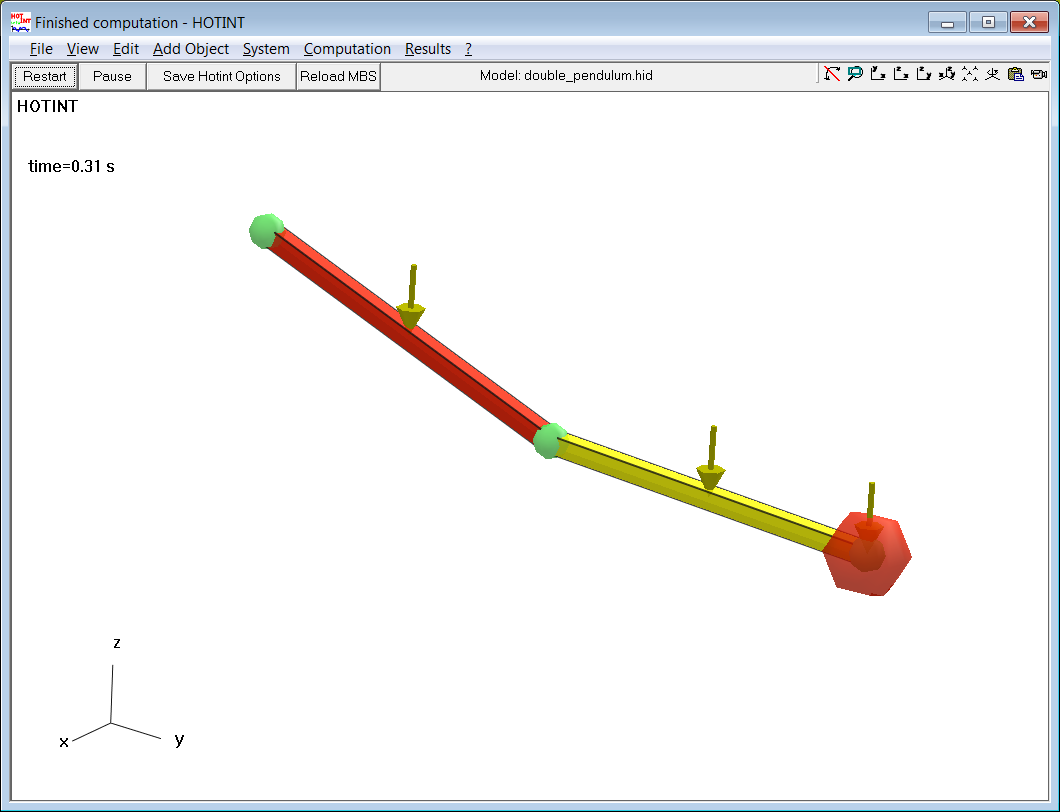
Double Pendulum
Description: A simple example for HOTINT beginners: The dynamic simulation of a double pendulum.
Keywords: rigid bodies, gravity, spherical joint, point mass
Download: Double Pendulum
Balancing Cart
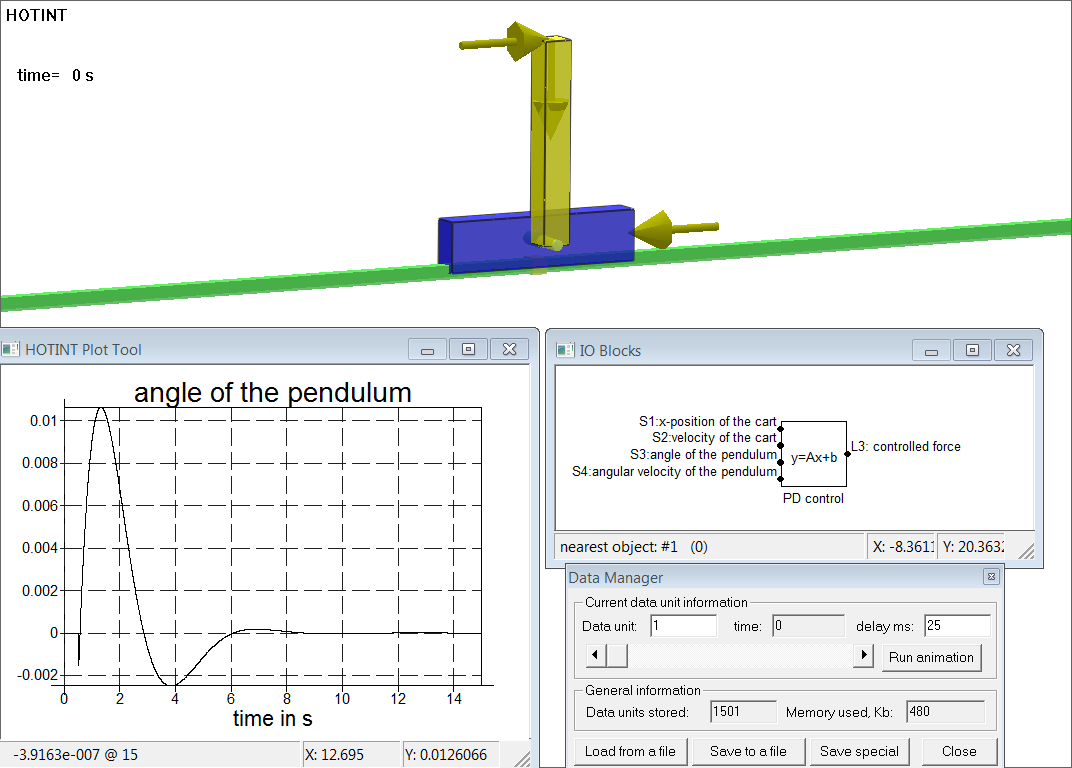
Descripion: In this example a PD controller is tested in a dynamic simulation. An inverse pendulum is mounted on a cart. The angle of the pendulum and the position of the cart are measured. These values are used by a controller to stabilize the pendulum by adjusting a force acting on the cart. The dynamic simulation shows the response of the mechatronic system to a disturbance.
Keywords: inverse pendulum, prismatic joint, gravity, control, mechatronic simulation
Download: Balancing Cart
Flexible Linear Robot
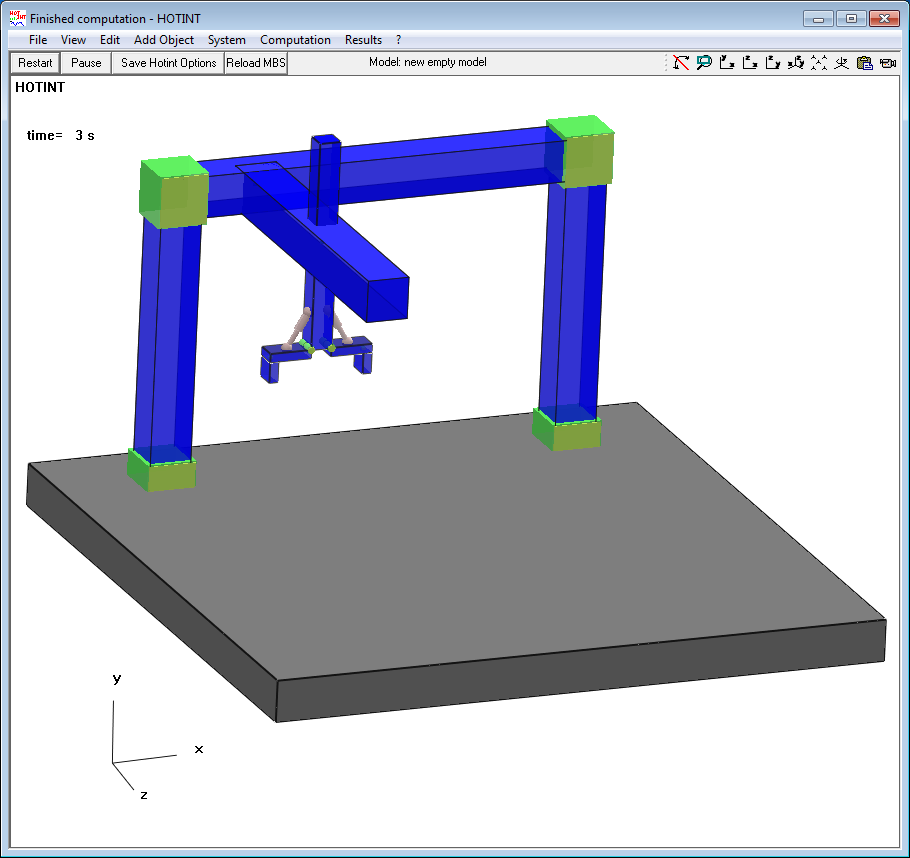
Description: In this example a full mechatronic system is simulated. The beams of the robot are modeled flexible in order to obtain the vibrations arising when the robot follows a predefined path. The flexible multibody system consists of 10 bodies and 21 constraints.
Keywords: rigid bodies, linear beams, prismatic joint, rigid joint, control
Download: Flexible Linear Robot
Fact Sheets & White Papers

HOTINT offers a wide range of services for professional usage
- Creation of HOTINT models
- Adaption of HOTINT
- Implementation of company / problem-specific elements
- Interfaces to company / problem-specific file formats
- Interfaces to company / problem-specific programs / external modeling and simulation tools
- Adaption of the graphical user interface
- Workshops and on-site training
- Individual support
- Complete R&D projects using HOTINT
- The LCM has expertise in a wide range of technologies. Have a look at the services offered.
HOTINT FAQs
- IS HOTINT for free?
- Yes! You can also use it freely for commercial purpose. See the license file included in the installation for more details.
- Can I run Hotint on GNU/Linux or MacOS?
- IHotint was tested to run on GNU/Linux through WineHQ, which is available for MacOS and several GNU/Linux distributions. See https://www.winehq.org for details.
- Where can I report a bug?
- Please write an e-mail to bug_reports@hotint.org
- If you can’t find your question here, please also check the documentation and feel free to write to: simon.weitzhofer@lcm.at


Simon Weitzhofer
Research Engineer